Diamond Animator opensOctober 20Beta opens in--d --h --m --sSign up now (reserve your free trial or just get notified) — the first 50 people get 25% off.
The AI Animator for stick figures

Say your idea.
Watch it move.

Stop spending weeks on one animation. Type what you want to see, like “two stick figures have a sword fight.” The AI Animator plans the poses and makes it move for you, the way real animators do. Animate your ideas faster with AI.

14 days free · no card needed · 150 AI credits to try it

Works on any computer — Mac, Windows or Chromebook — in your web browser. Not on phones or tablets.

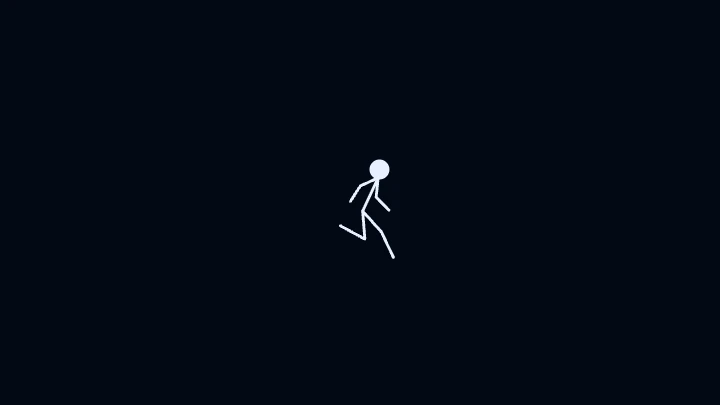
Animation made by the AI Animator from the typed idea: a stick figure runs across the screen
Made by the AI Animator in 7 secondsYou typed: “a stick figure runs across the screen”
Diamond Animator opensOctober 20Beta opens in--d --h --m --sSign up now (reserve your free trial or just get notified) — the first 50 people get 25% off.
The first 50 people who sign up (free trial or notify) get 25% off their first year — counted liveBeta details
How to get a discount:
  1. Sign up: reserve your free trial or ask to be notified. The first 50 people get 25% off their whole first year.
  2. Subscribe to Animator Builder on YouTube. Get a one-time 10% off your first month (monthly plans only; one time per person; the code is shared on the channel).
  3. Do both → 30% off your first month, then 25% off for the rest of your first year.
Sound familiar?

You have the idea. Animating it takes forever.

You can see the whole fight in your head. Then you spend weeks drawing it, frame by frame. And it still doesn't look like what you imagined.

Too slow

You draw one pose. Then the next. Then the next. A five-second fight eats your whole weekend — and you're still not done.

Too confusing

Keyframes, easing curves, tweens, rigs. Most animation tools feel like they were built for a studio, not for you.

Too hard to finish

You start excited. Weeks later the idea still isn't moving the way you saw it in your head — so it ends up in a folder you never open again.

There had to be a better way. So Arthur built one.

How it works

From idea to animation in 3 steps

Think of an idea. Say it. Watch it come to life.

Type your idea

Plain words. “Two stick figures have a sword fight.” “A fireball hits a punching bag.” No animation words needed.

The AI Animator plans it

It plans the key poses and the timing for you — with real animation principles built in, so it moves like a pro made it.

Watch, tweak, export

Watch it play. Change any pose by hand with the drawing and stick-figure tools and the timeline. Export an MP4 to post anywhere.

What it makes

Fights. Powers. Explosions. Just ask.

The AI Animator already knows lots of moves and effects. It puts them together for your idea.

Moves

Walks and runs in different styles, jumps, kicks, punches, cartwheels, waves, high-fives, falls and get-ups.

Fights

Sword, stick and bat fights with slashes, blocks, parries and spin attacks. Punch-ups with dash punches and barrages.

Powers & effects

Fire blasts, water shields, ice, lightning, laser eyes, teleports, explosions, smoke — even words that pop on screen.

Scenes that react

Backgrounds like rain, wind in the trees and a waterfall. Things in the scene react when hit — a punching bag swings, then settles.

Animation principles, done for you

It took Arthur years to get good. You get the rules on day one.

The rules that make animation look pro are built into everything the AI Animator makes.

Wind-ups that hit harder

Every jump and strike gets anticipation first, so the big moment actually feels big.

Smooth, not robotic

Ease in and ease out on every move. No stiff, sliding, computer-looking motion.

Follow-through

A heavy swing keeps going after the hit. Energy goes somewhere — just like real life.

Real weight

Arms and legs bend under the body's weight. Landings sink. Your figures feel solid.

Impacts that match

What gets hit reacts the right way for what it is — and the hit looks bigger than what caused it.

Feet that stay planted

Feet stay planted when they should, so walks, runs and fights look grounded.

Arthur's story

Built by an animator, for animators.

Diamond Animator is made by Arthur. He is 12. For years, animation was a struggle. He'd start excited, then spend weeks on something he didn't even like. The only tools out there were complicated. So he spent about a year building the tool he wished he'd had. It does the hard part fast, for you.

This is just the beginning

Stick figures are only Version 1.

Now · V1

Stick figures

The AI Animator, drawing and stick-figure tools, a timeline and MP4 export. It opens October 20, 2026.

Arthur's goals · V2, V3, V4

Smoother, bigger scenes — and more than stick figures

  • The AI Animator keeps getting better: smoother moves and more complex scenes.
  • Stick figures stay. Later versions add more than stick figures.
  • The big goal: the engine makes a real 3D animation, then turns it into 2D frames you can edit on your timeline. So it's still 2D animation, but it looks 3D.

These are goals, not promises. No dates yet. Arthur only promises what's built.

Pricing

Start free. Pick a plan when you love it.

14 days free with Creator features and 150 AI credits. No card needed to start.

Starter

Bring your first ideas to life.

$5.99/month

or $59/year — 2 months free

300 AI credits/month (about 10 a day)

$4.49/month for your first year if you're one of the first 50 people who sign up (25% off). How to get it

  • Stop waiting weeks: type an idea and watch it move in minutes
  • Every creative tool in the app: AI Animator, drawing and stick-figure tools, and the timeline
  • Finish and share: export MP4 videos of your animations
  • Never stuck alone: the Help Assistant shows you how things work
Notify me when it's out

Want to try it first? Reserve your free trial (14 days, no card)

Creator

Most popular

For animators who post all the time.

$11.99/month

or $119/year — 2 months free

1,200 AI credits/month (about 40 a day)

$8.99/month for your first year if you're one of the first 50 people who sign up (25% off). How to get it

  • Room to experiment: try, tweak and try again until it looks exactly right
  • Everything in Starter: every tool, MP4 export and the Help Assistant
  • 4x Starter's AI credits for $6 more a month, so you can animate every day
Notify me when it's out

Want to try it first? Reserve your free trial (14 days, no card)

Studio

Make as much as you can imagine.

$19.99/month

or $199/year — 2 months free

3,000 AI credits/month (about 100 a day)

$14.99/month for your first year if you're one of the first 50 people who sign up (25% off). How to get it

  • Make as much as you can imagine: big scenes, series, a whole channel
  • 2.5x Creator's AI credits: the most AI time for big projects
  • Everything in Creator: every tool, MP4 export and the Help Assistant
  • Be first: try new features before everyone else
Notify me when it's out

Want to try it first? Reserve your free trial (14 days, no card)

Every plan starts with a 14-day free trial, no card needed. See everything you get →

Questions

Straight answers

I can't animate. Will this work for me?

Yes. That's exactly who it's for. You type what you want to see. The AI Animator plans the poses and the timing for you. If you can describe it, you can animate it.

Do I need a credit card for the free trial?

No. The 14-day free trial needs no card. You get Creator features and 150 AI credits. When the 14 days end, you pick a plan to keep going — there's no free plan, so nothing is charged unless you choose one.

What's an AI credit?

1 credit = 1 message to the AI Animator. Plans come with a fresh batch of credits every month.

Can I still draw and change things myself?

Yes. Diamond Animator has full drawing and stick-figure tools and a timeline, so you can tweak any pose by hand. Changing an animation by chatting (like “make it slower”) is coming soon.

Is it only stick figures?

For now, yes. Version 1 is all about stick figures, and it makes them look great. Stick figures stay. Later versions add smoother, more complex scenes and more than stick figures. The big goal: the engine makes a real 3D animation, then turns it into 2D frames you can edit on your timeline. So it's still 2D animation, but it looks 3D. That's a goal, with no date yet. This is just the beginning.

More questions? Read the full FAQ or email [email protected].

Create. Animate. Dominate.

Your next idea doesn't have to take weeks. Type it tonight and watch it move.

The 14-day free trial opens October 20, 2026 · no card needed · 150 AI credits